MOSSY WOODS


.SUMMARY
The goal for this project was to generate moss that had volume, not just a texture, on any chosen mesh. A major focus was to replicate accurate placement and behaviour of the moss - spawning it in semi-randomized locations and making it stretch over adjacent objects.

The final product consists of 5 major parts: The input mesh, a moss blanket, spawn points for the cards, a texture mask on the rock and the moss cards. I worked primarily in Houdini and Unreal Engine, but I also used the Substance Designer and Painter softwares to make the textures. The rocks I used for the moss generation were provided by fellow TGA student Marcus Lembke.
I had 2 weeks to create this piece. It was made during the spring of 2026.
.MOSS BLANKET mesh
The reason for this piece of geometry was to help create the thick look of the moss, since having only the cards on the input mesh looked way too sparse even with 100k+ cards spawned. I called this geometry the “moss blanket”. Below is an early rendition of the difference between having the blanket and not.

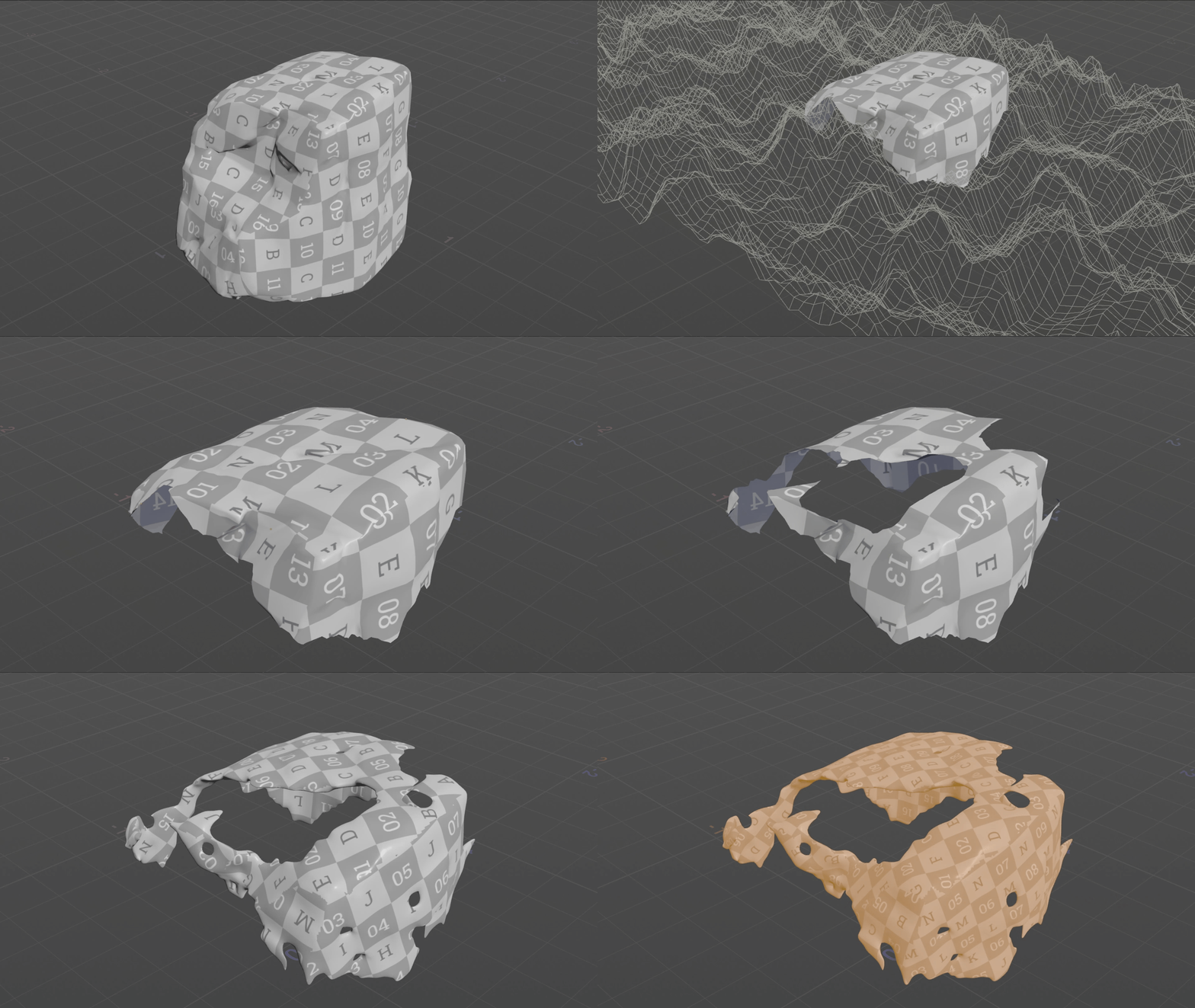
To generate the blanket mesh, I opened the input mesh in Houdini and used a grid and a mountain distortion to remove everything but the top part. I then selected a random selection of points and spawned some uneven geometry with randomized scale. By using a boolean and removing the overlapping sections, I achieved a more organic shape of the blanket that was closer to my references. By passing the geometry through a VDB volume, I was able to get the 3d, “fluffy” look I was aiming for.
.MOSS BLANKET material
I made the textures for the blanket material in Substance Designer by creating a variety of shapes that was fed into a tile generation node. I increased the amount of tiles generated and randomized scale, placement and rotations for each instance. I distorted the output through different noise textures before mapping the values to different colors to create a good color variation.


The Unreal material for the blanket turned out quite simple. After experimenting with the fuzzy shading model, I realized the best blending with the cards were achieved by using the default shading. Instead, I used Nanite’s tesselation and a scaled height map to add the spiky surface and make it blend in with the cards better.
.SPAWN POINTS
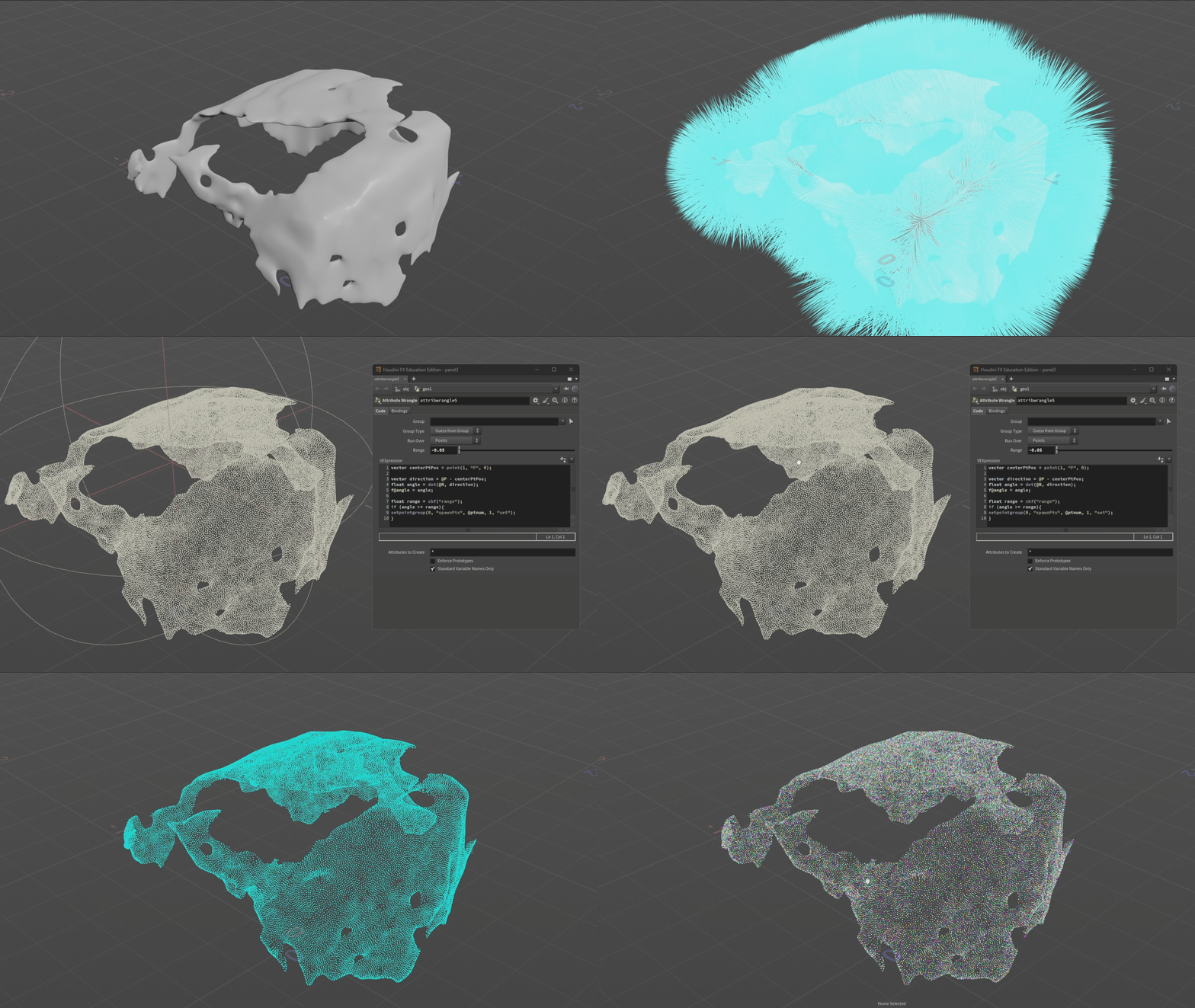
I used the generated blanket to spawn the cards, creating and transferring the normals of the original input mesh to points that I scattered on the blanket surface. To remove the points on the inside of the mesh (since I didn't want any cards to spawn inwards), I checked the normal of each point against the direction between the point's position and the centre point of the mesh. I then removed each point that returned a value withing a certain threshold, resulting in all the points on the inside of the mesh getting removed.
After giving the points randomized scale, I added a rotation attribute and randomly rotated each point around its own upward vector. I also found that I could transfer the class attribute from the cards (shown in “Card Meshes”) to the points by overriding the piece attribute with the class value. When I later spawned the cards on the points, all of these attributes were inherited by the cards - creating the variation I wanted.

.CARD MESHES
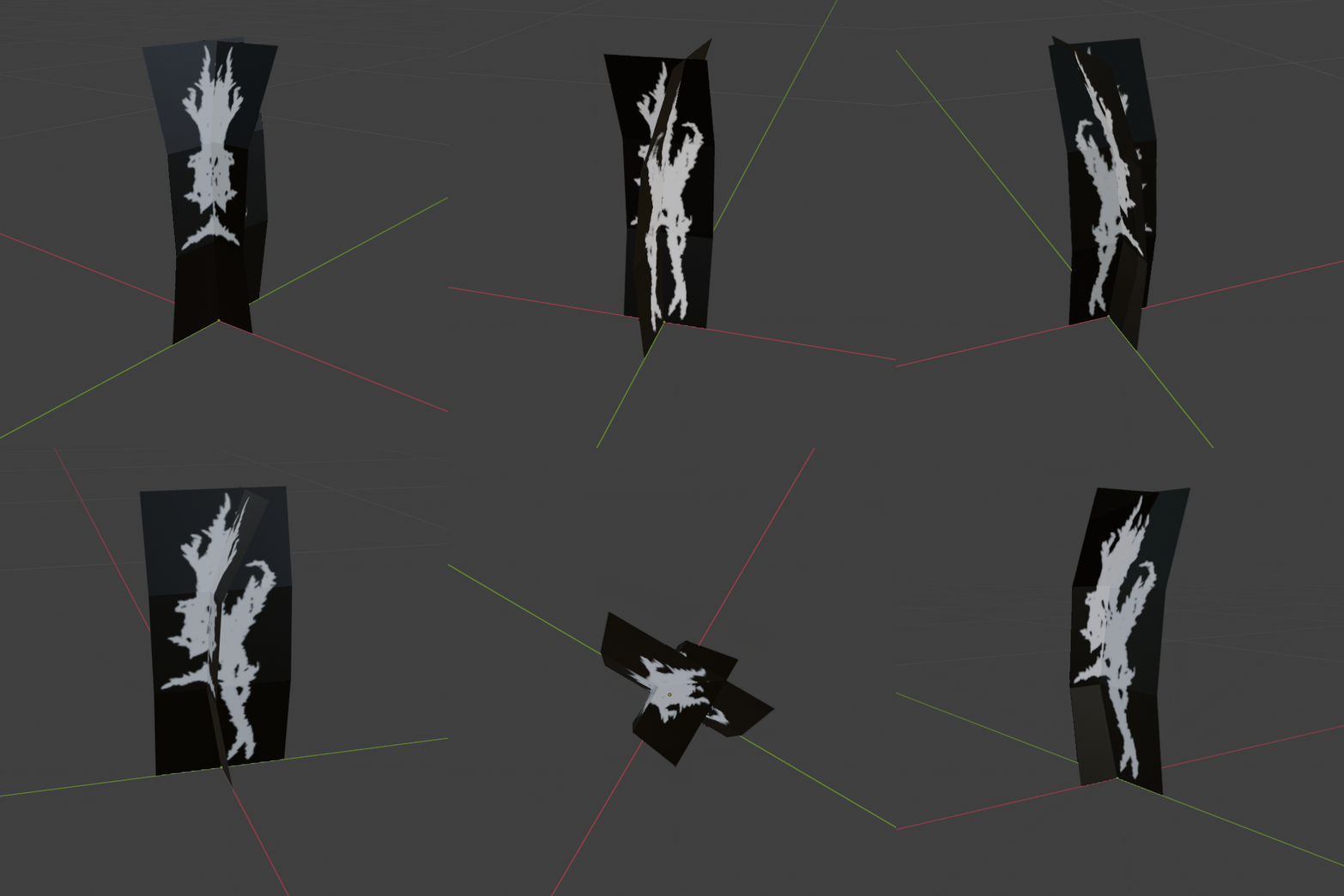
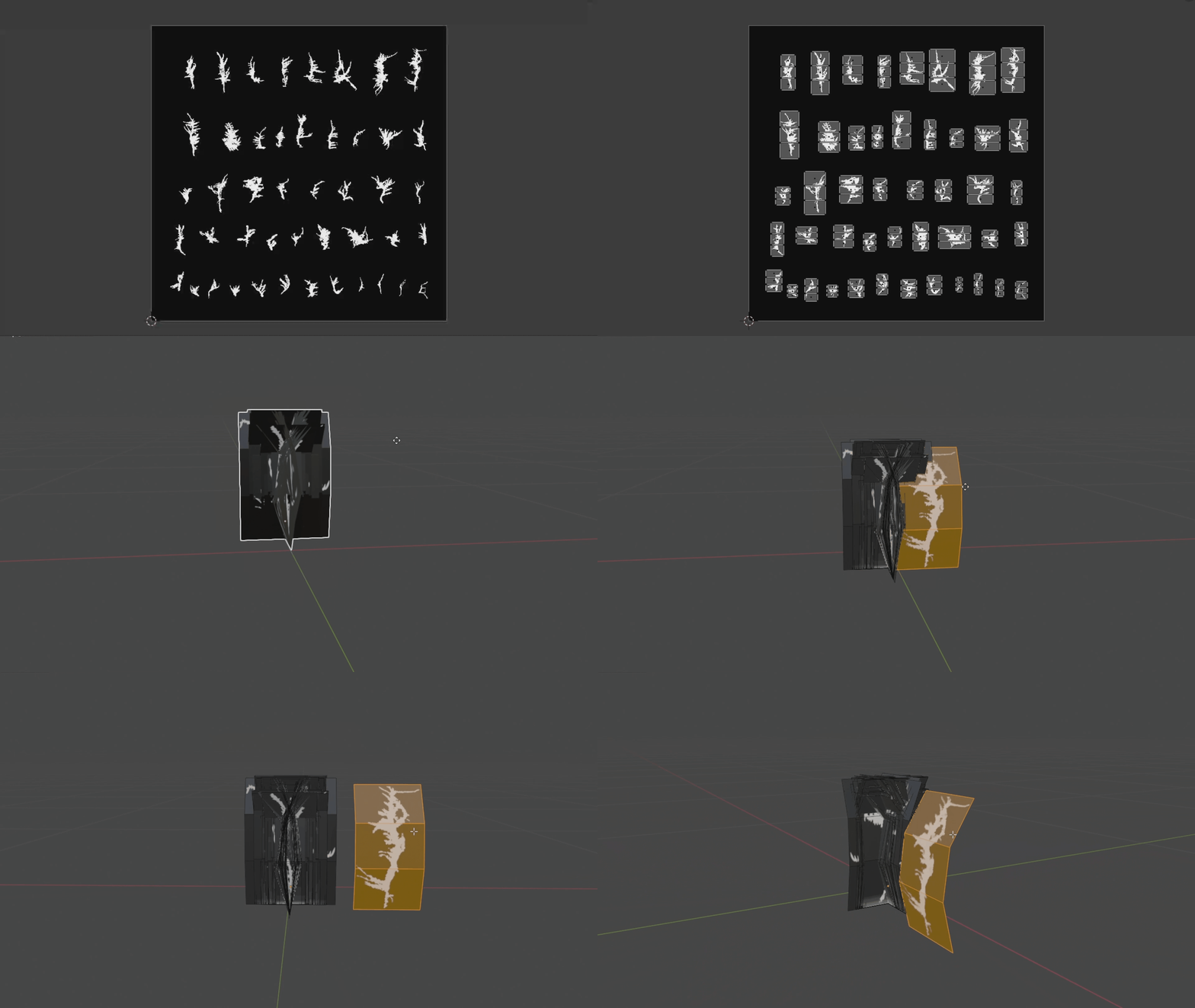
The cards were cut out planes based on an opacity texture from Megascans. After realizing the cards were not visible from many angles when placed on the input mesh, I decided to create a crossection for each plane, as well as bend them so they would be visible from a top down angle.
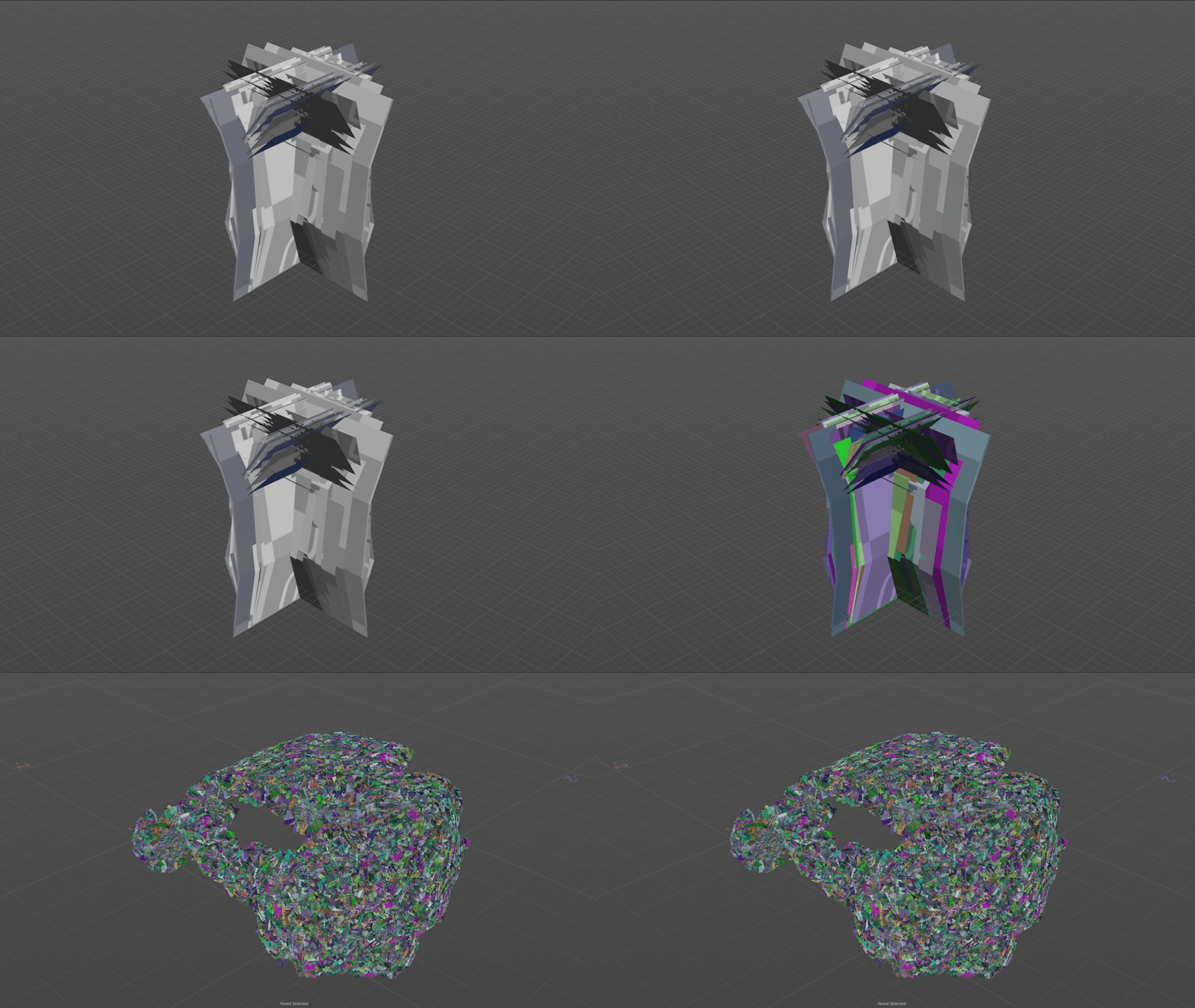
I exported all cards as one mesh, using the connectivity SOP in Houdini to separate them each into individual classes per crossection. Thanks to the transferring of each piece’s class attribute from the primitives to the points on the moss blanket (as described in "Spawn Points"), I could spawn the cards on the corresponding points across the mesh.
.CARDs MATERIAL

In the Unreal Shader Graph, I created distorted normals by using the cross product of the vector between the object’s world position and the pixel world position and the camera direction. This way, I could fake that some moss strands always reflected some light from any direction based on the camera position which contributed to the “fluffy” look of the cards.
.TEXTURE MASK
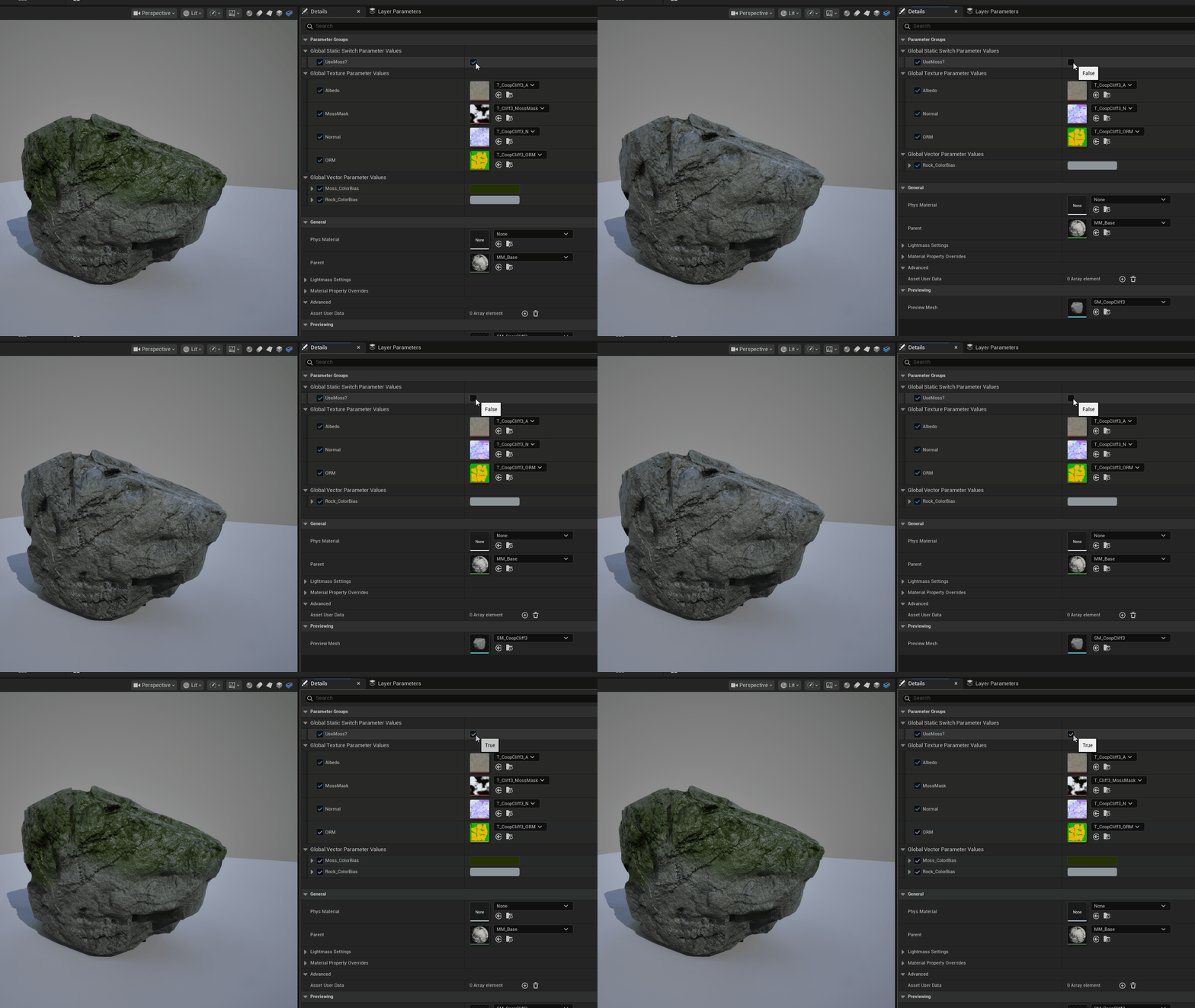
To make the moss and the input mesh blend together more smoothly, I painted a mask, using Substance Painter, where the blanket overlapped the surface. I then used this mask to lerp between different textures in the Unreal Shader Graph. By creating instances and booleans, I could use a single master material for all different input meshes, only switching out the textures and making optional customizations for each material instance.